
Resources · AMMARIX Digital
Organise your operations before developing software.
Purchasing, sales, cash, documents and progress tracking: useful software starts with a clear workflow. For an SME in Algeria or a business operating across countries, this preparation helps define a first working scope, connect its data and plan the launch with the team.
From everyday operations to a usable tool
Five steps to keep the scope clear and check the result with your team.
Observe
Follow an operation and identify searches, repeated entry and points that hold up work.
Define
Choose the first expected outcome, users and working rules.
Connect
Organise data, documents and exchanges with existing tools.
Try
Check everyday workflows and exceptions against their expected outcomes.
Launch
Transfer useful data, explain how to use the tool and collect early feedback.
Choose an operation to improve
Choose a frequent operation and follow it with the person who performs it. Where do they look for information? What do they enter again? Which question requires several files or a phone call? A sale, a goods receipt or document preparation offers a useful starting point.
Define an outcome you can check: finding a customer's balance, tracking an order or preparing a document from recorded information. Then group requirements into those needed for launch, those useful later and those still needing clarification.
Describe the workflow and responsibilities
Map the steps from the initial action through to completion. For a purchase, distinguish the request, order, receipt and payment where these apply to your business. At each step, identify who is involved, the information they receive and what they need to approve.
Explain what each status means: a confirmed order, a partial receipt or a completed operation. Record what can be corrected and which changes need approval. These rules will guide screens, access permissions and the relationships between operations.
Organise your data and documents
Gather the customer, supplier, product and unit lists you use. Identify duplicates, incomplete fields and references that need to be retained. For each shared piece of information, choose a reference source and the person responsible for updating it.
Link each document to its operation: quotation, order, receipt or invoice. Define templates, fields and version rules. If the business operates in several countries, describe the required languages, currencies and formats. The relevant business owners should validate the commercial and administrative rules applied to those documents.
Define exchanges with your existing tools
List the applications, files and devices already in use. Decide which information needs to move, in which direction and how often. A file import can meet an occasional need; a regular exchange needs defined handling of errors and duplicate records.
Review working conditions: computers, phones, barcode readers, the number of workstations and available connectivity. If offline work is needed, specify which operations remain available and how changes will be reconciled when the connection returns.
Prepare checks before launch
Prepare representative operations with their expected outcomes. Check the complete workflow, calculations, documents and what each user can view or change. Ask the people who will use the software to perform these tasks on their usual devices.
Add situations that complicate everyday work: cancellations, partial payments, returns, missing references or interrupted exchanges. Also check the data brought over from old files. Record what works, what needs correcting and who approves the launch of the first scope.
Support the launch and plan the next stage
Agree a changeover date, the data to transfer and a contact person for difficulties. Short guidance by role and practical examples help the team get started. After the first uses, review the tasks being completed and the questions that remain difficult to answer.
Our projects show different scopes: AMMARIX One connects operations, commercial management and documents for Exporose; the grocery shop application brings together sales, stock and cash; the IEES website and campus link public information, training and academic management. Your activity determines the next stage.
Choose a useful first scope
Start with the current difficulty to decide which functions to prepare and what to check.
| Current situation | First scope | What to validate |
|---|---|---|
| Purchases and sales in separate files | Common references and connected operations | Who creates, confirms and corrects each operation |
| Documents prepared by copying and pasting | Templates filled from recorded data | Fields, calculations, versions and approval |
| Cash and customer credit tracked separately | Receipts and payments linked to operations | Partial payments, balances and corrections |
| Information copied between two tools | A defined exchange between source and destination | Identifiers, duplicates and recovery after an error |
| Progress scattered across conversations | Grouped steps, owners and documents | Progress criteria and editing permissions |
What to prepare for a first conversation
- One priority operation, its current difficulty and the expected outcome.
- The users, their devices and connectivity conditions.
- Representative working files and documents, along with their rules.
- The tools to retain and the information they need to exchange.
- The cases to test and the person who will approve the first scope.
Related projects
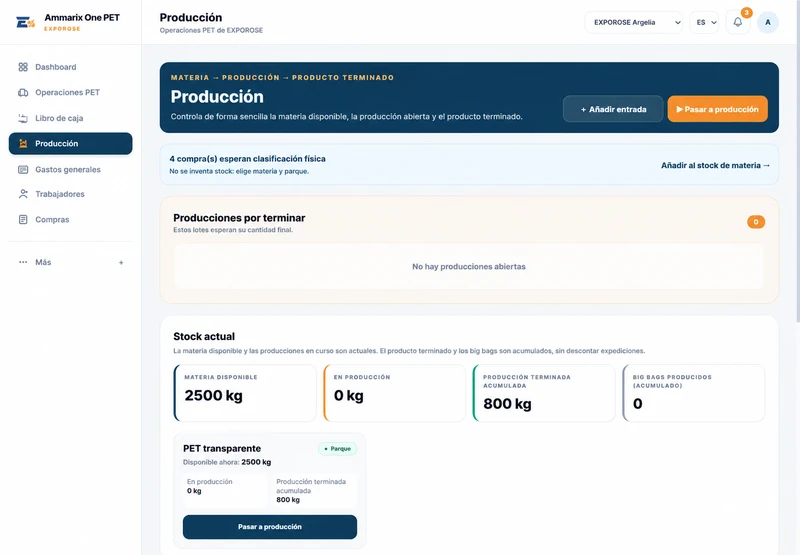
Exporose · Management in Spain and Algeria
AMMARIX One for operations, commercial management and documents in Spain and Algeria. VeriFactu is operational in Spain.
Explore the project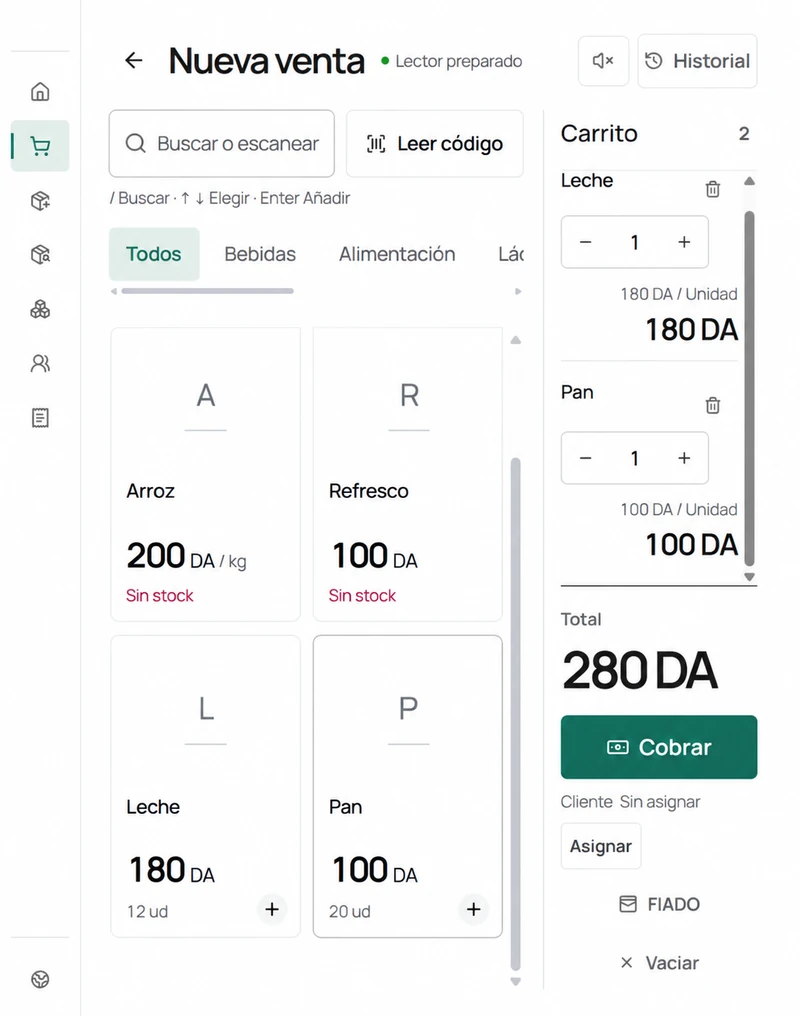
Food retail management
Software for sales, stock, customers and cash management, with offline working and synchronisation.
Explore the project
IEES · Website and campus
A developed and tested website and learning platform, with academic management, communications and documents.
Explore the project